Hyper Layering Brand Guideline
Logo and Wordmark
View the logo package Download Logo Package


The “Layer H” logo is the main Identifier for HLA, along with 2 different typeface identifiers.
Primary Logo
The standard Logo used to identify Hyper Layering.

Protected Space
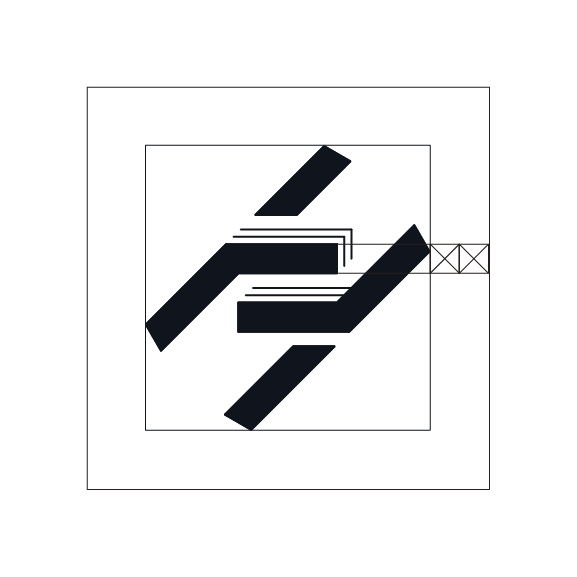
Measurement X is the width of the bold lines in the Layer H Logo.
Spacing of 1.5X shall be used for when displaying the Layer H Logo on its own.
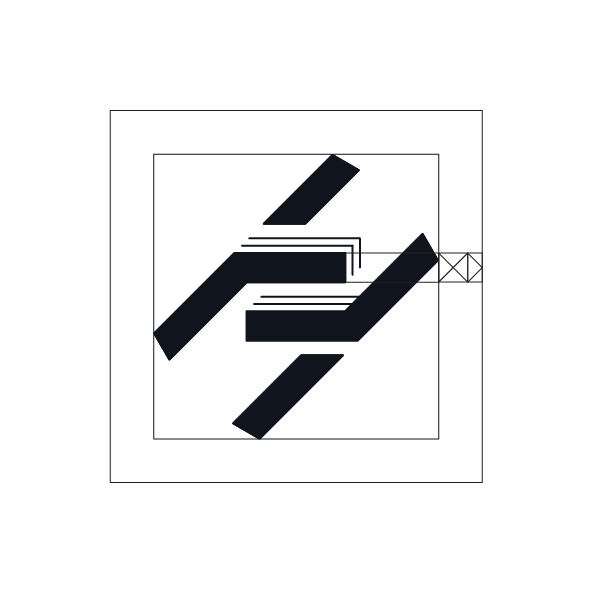
Spacing of 2X shall be used when displaying the Layer H logo alongside a typeface brand identifier.
Wordmark Logo 1
The standard Logo with an abbreviated HLA (Hyper Layer Architecture).

Protected Space
Distance 3X between the logo and the text, as well as 3X between the entire perimeter of the Logo.

Wordmark Logo 2
The standard Logo with “Hyper Layering”.
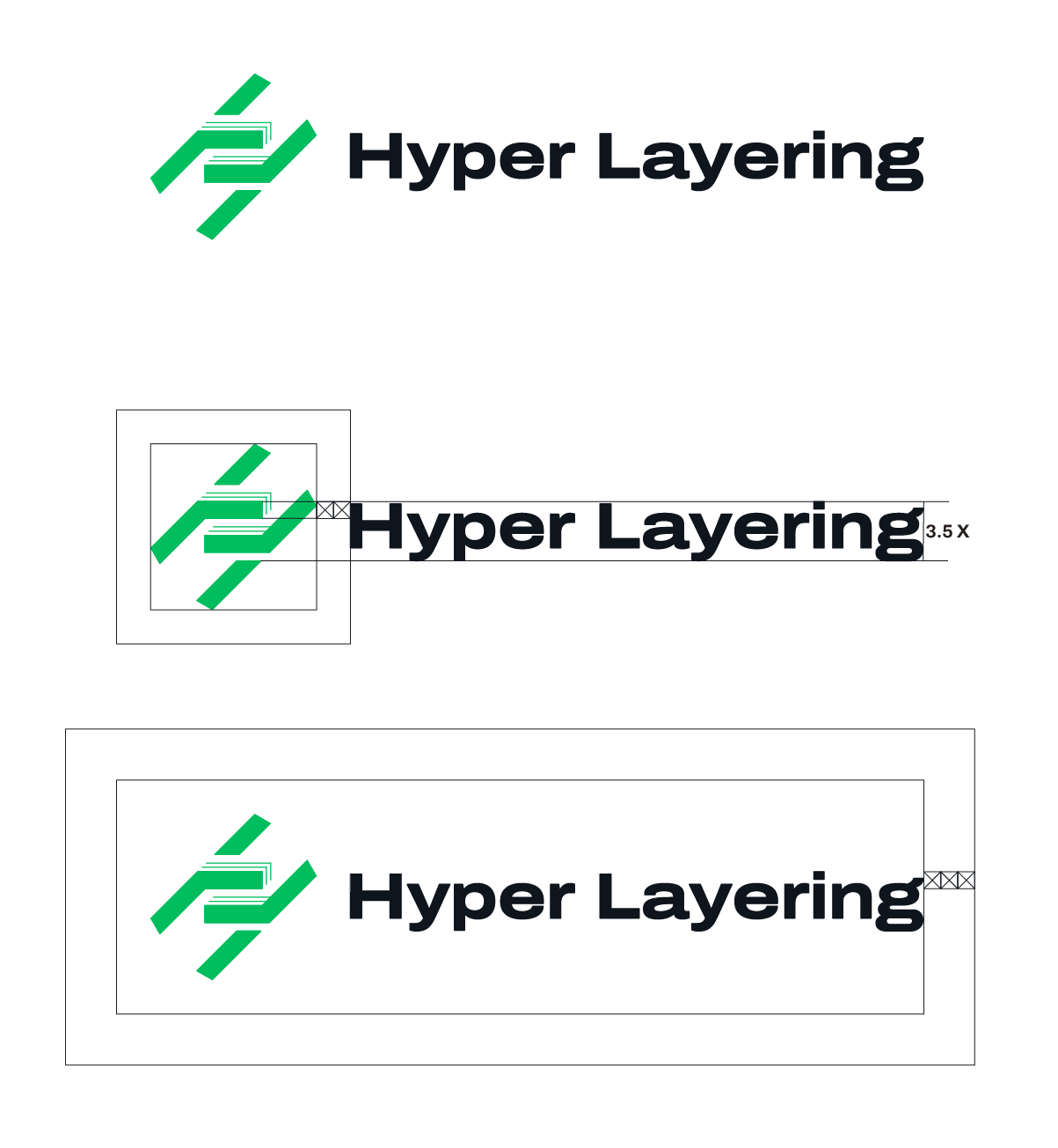
Protected Space
Distance 3X between the logo and the text, as well as 3X between the entire perimeter of the Logo.
Logo Restrictions
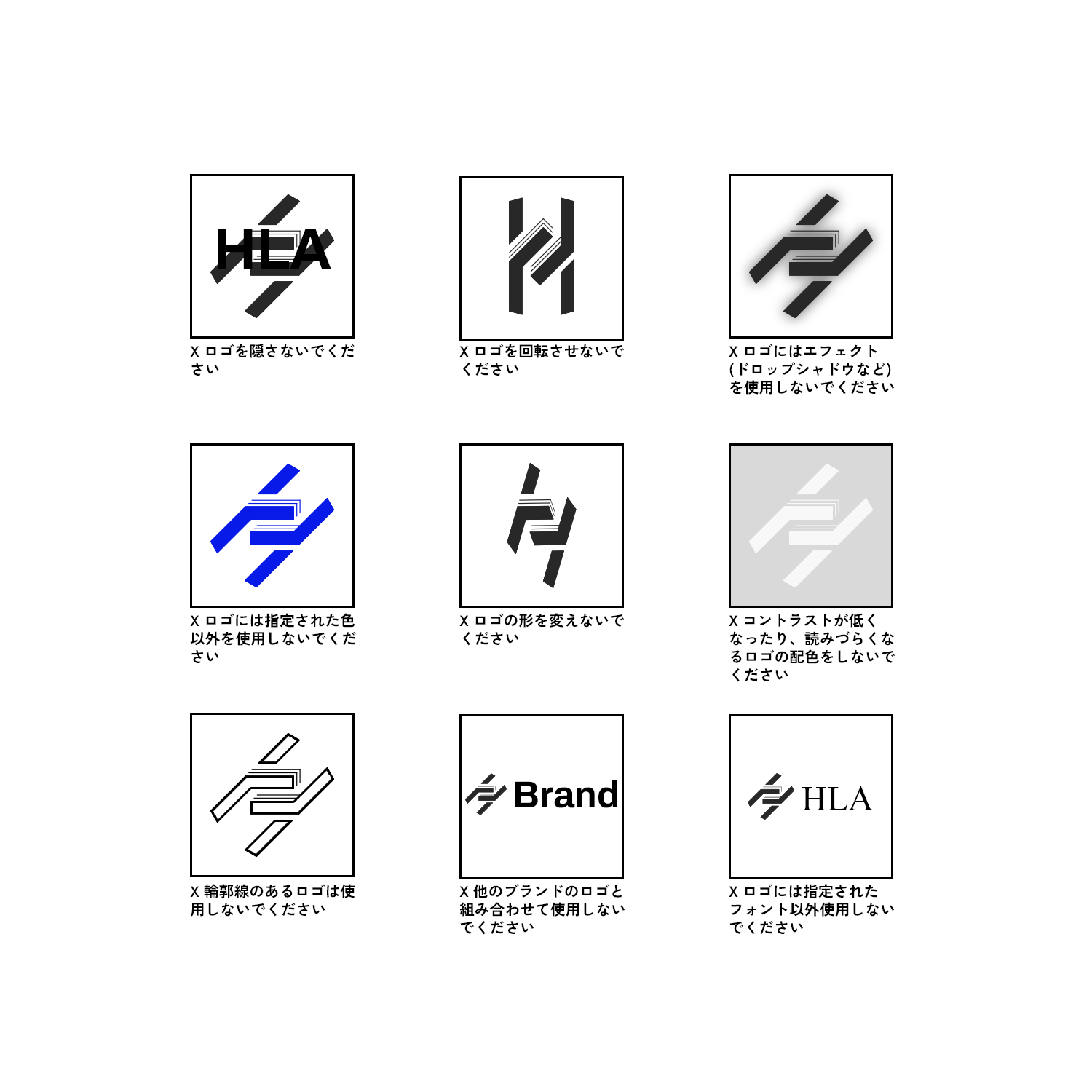
When using the Hyper Layering branding, avoid the following:
Colour usage
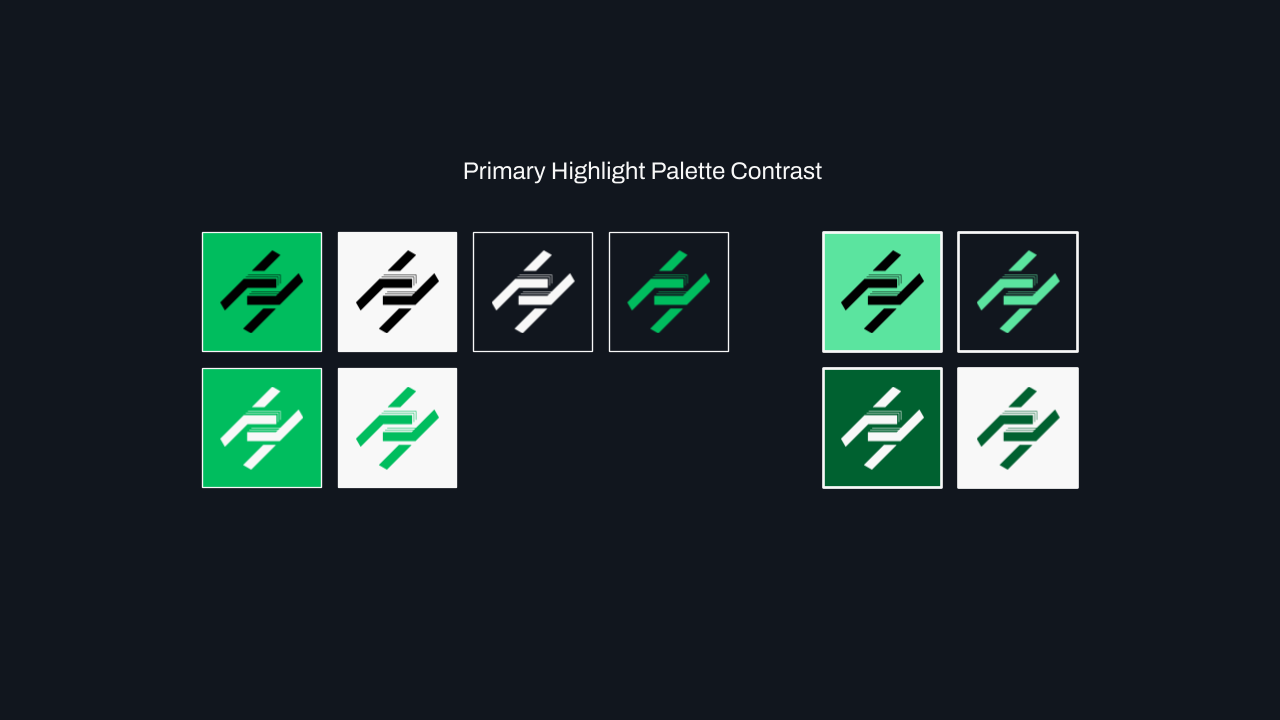
The “Layer H” logo is to be displayed in one of 6 ways within HL community projects. Should the display of the logo be external to the HL community, or for whatever reason the project does not contain any of the approved HL community colours, 6 additional examples of the “Layer H” can be displayed using pure whites and pitch blacks as a replacement for our colour palette neutral tones.
Malachite Green “Layer H” over Space Black/pitch black background.


Malachite Green “Layer H” over Sheet White/pure white background.


Space Black/pitch black “Layer H” over Malachite Green background.


Space Black/pitch black “Layer H” over Sheet White background.


Sheet White/pure white “Layer H” over Space Black background.


Sheet White/pure white “Layer H” over Malachite Green background.


Primary Palette
Values
The primary palette for HL comunity projects.
| Swatch | Color | Hex | RGB | CMYK |
|---|---|---|---|---|
| Malachite Green | #00BD5E | 0, 189, 94 | 100, 0, 50, 26 | |
| Space Black | #11161E | 17, 22, 30 | 43, 27, 0, 88 | |
| Sheet White | #F8F8F8 | 248, 248, 248 | 0, 0, 0, 3 | |
| Ruby Red | #D90928 | 217, 9, 40 | 0, 96, 82, 15 |
Expanded Palette
Values
| Swatch | Color | Hex | RGB | CMYK |
|---|---|---|---|---|
| Malachite Green +2 | #B1FFD8 | 177, 255, 216 | 31, 0, 15, 0 | |
| Malachite Green +1 | #5BE49F | 91, 228, 159 | 60, 0, 30, 11 | |
| Malachite Green | #00BD5E | 0, 189, 94 | 100, 0, 50, 26 | |
| Malachite Green -1 | #006130 | 0, 97, 48 | 100, 0, 51, 62 | |
| Space Black +3 | #5A6177 | 90, 97, 119 | 24, 18, 0, 53 | |
| Space Black +2 | #42485A | 66, 72, 90 | 27, 20, 0, 65 | |
| Space Black +1 | #1C222A | 28, 34, 42 | 33, 19, 0, 84 | |
| Space Black | #11161E | 17, 22, 30 | 43, 27, 0, 88 | |
| Sheet White | #F8F8F8 | 248, 248, 248 | 0, 0, 0, 3 | |
| Sheet White -1 | #D9D9D9 | 217, 217, 217 | 0, 0, 0, 15 | |
| Sheet White -2 | #BEBEBE | 190, 190, 190 | 0, 0, 0, 25 | |
| Sheet White -3 | #9E9E9E | 158, 158, 158 | 0, 0, 0, 38 | |
| Ruby Red + 1 | #F62342 | 246, 35, 66 | 0, 86, 73, 4 | |
| Ruby Red | #D90928 | 217, 9, 40 | 0, 96, 82, 15 |
Accessible Palette Usage
All approved combinations are tested and chosen with the intention to meet all levels of WCAG color contrast standards.
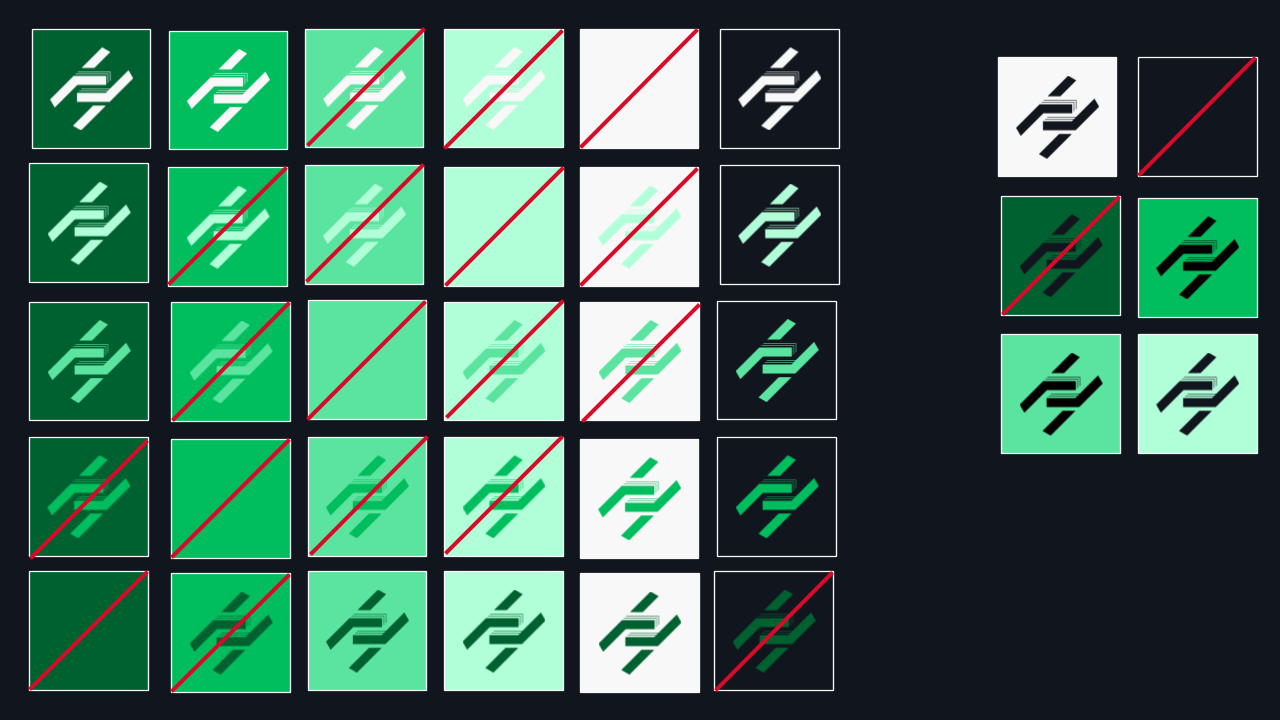
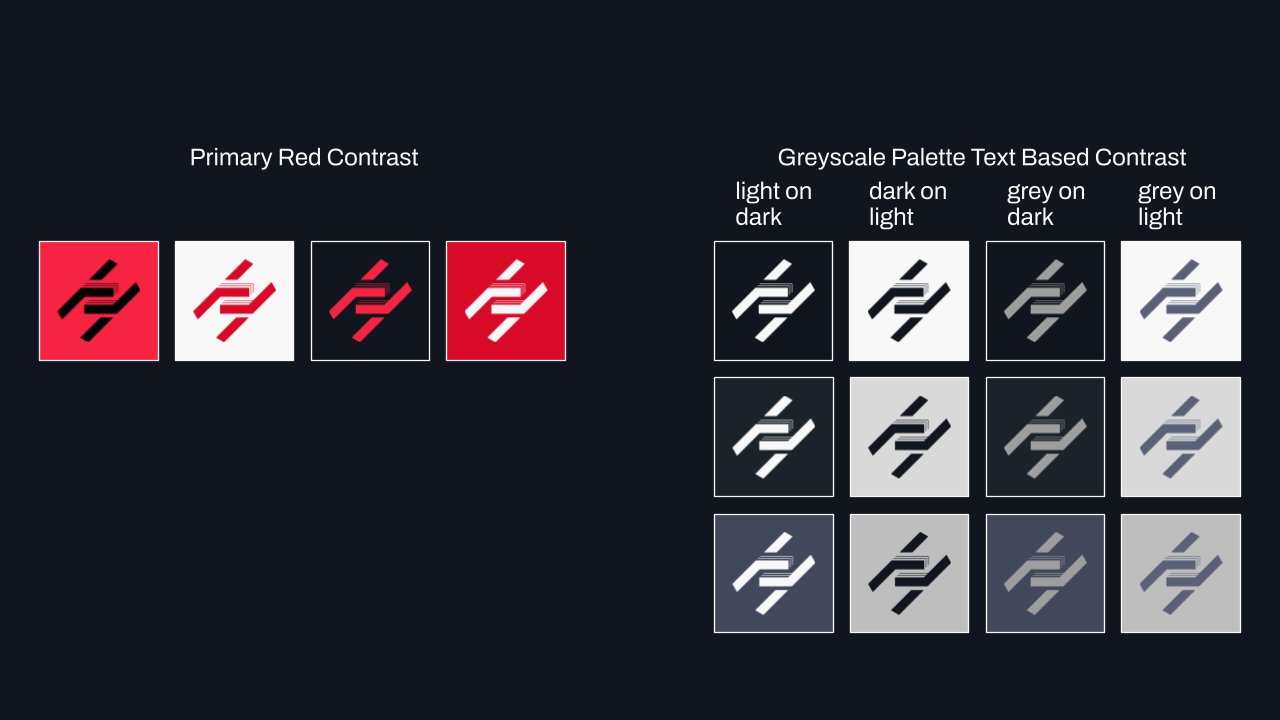
In any situation, Sheet White can be substituted with a pure white, and Space Black can be substituted with a pure black.
Typeface
Each Typography variation has been selected to provide structure, hierarchy, and provide legibility for users.
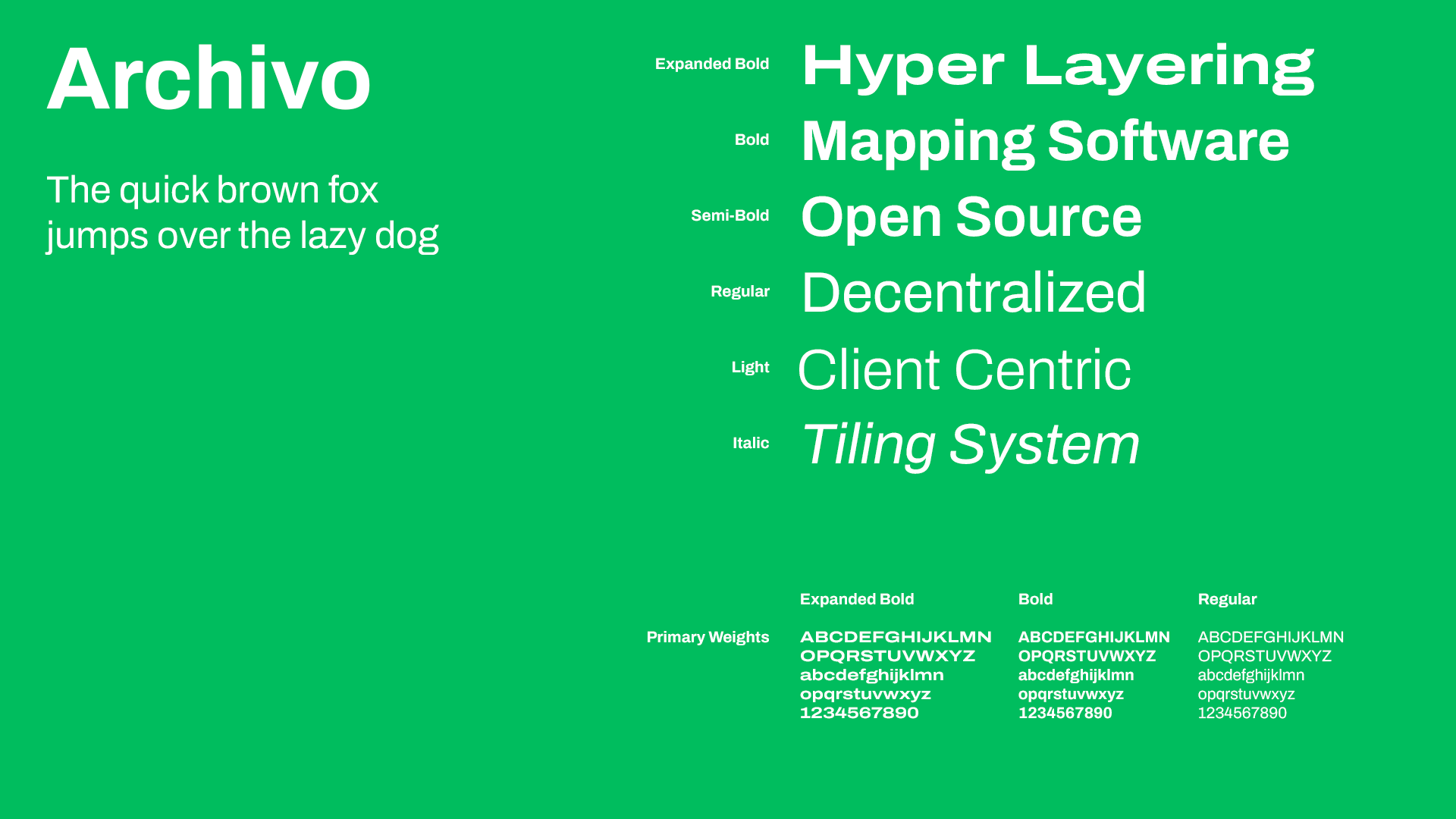
The primary font for all HL community projects is “Archivo”. Different variations of this font are used to denote different levels of a page or app.
Headings
All major headings or top level hierarchical writing use the BOLD variation of Archivo with a variable font axis width set to 120%.
Sub-Headings
All sub headings or upper (but not top) level hierarchical writing use the BOLD variation of Archivo WITHOUT a variable font axis width set to 120%. As the sub headings progress through the hierarchy, the boldness is not taken away, however the font size gradually shrinks until the sub heading font size is the same as the standard text font size.
Standard Text
All standard text within HL community projects use the REGULAR variation of Archivo WITHOUT any changes or variations to the default font.